Lesson 9 of 9
One month, worked through
Lesson 8 set out the monthly job: compare, trade only the difference, write it down. This is one real month of it — DAA, rebalanced at the start of October 2026, in the account of the person who built this site.
Every balance, amount and return in these screenshots is blanked out on purpose. What this lesson shows is the procedure, not the result.
The broker is Trading 212, because that is where the account is. Other brokers lay their screens out differently, but the job is the same in any of them.
What the rule said
Through September, DAA was fully invested: six risky assets at one sixth each. At the September month-end close, one of its two canary assets turned down. Lesson 3 described what that does: DAA keeps the three strongest risky assets, still at one sixth each, and puts the other half in the strongest of its cash assets.
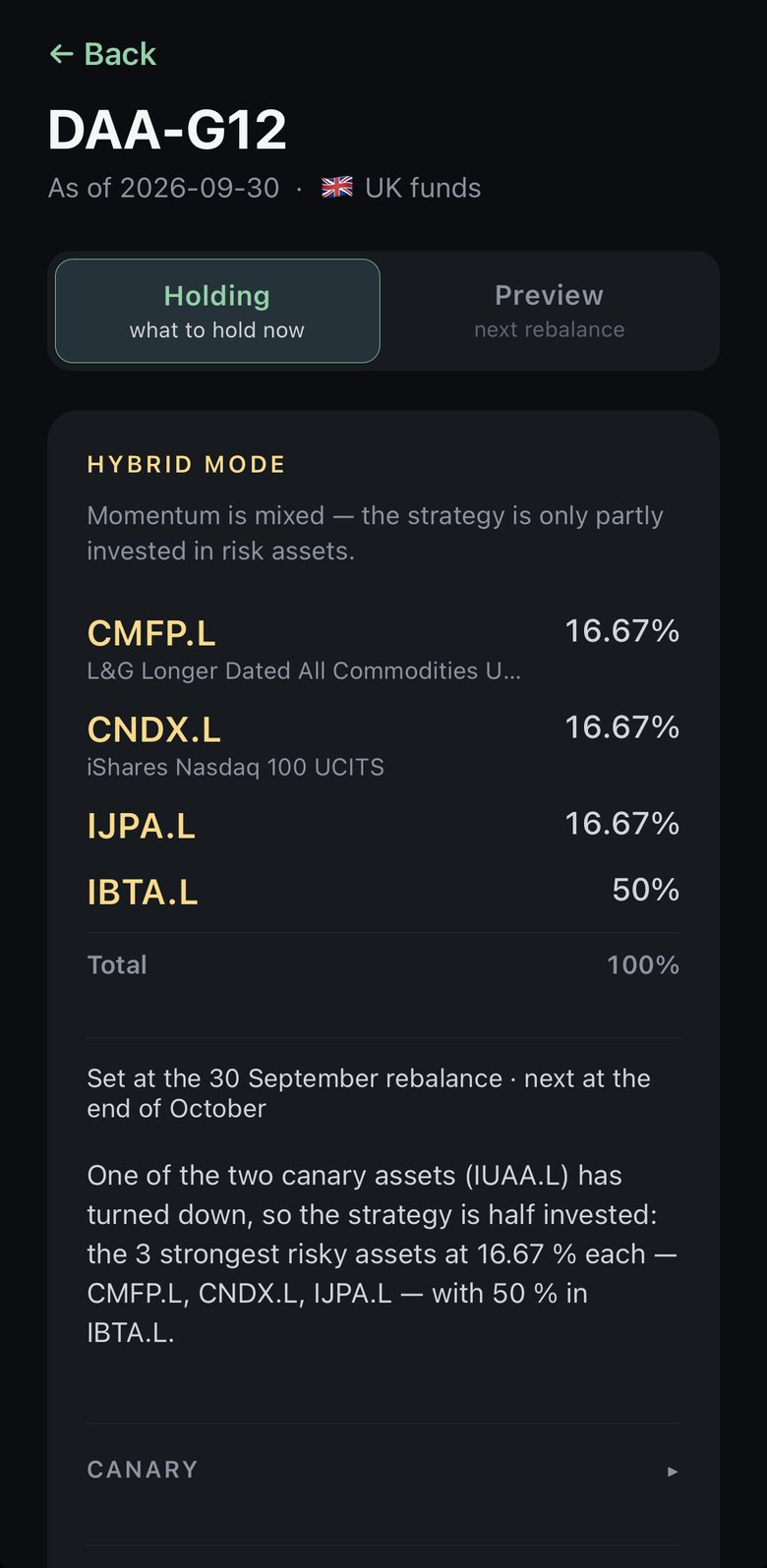
This was taken on 8 October, a week into the month, and it still shows the 30 September reading. That is the app’s Holding view doing what lesson 8 described: it opens on the allocation in force, not on a fresh calculation for today.
Compare
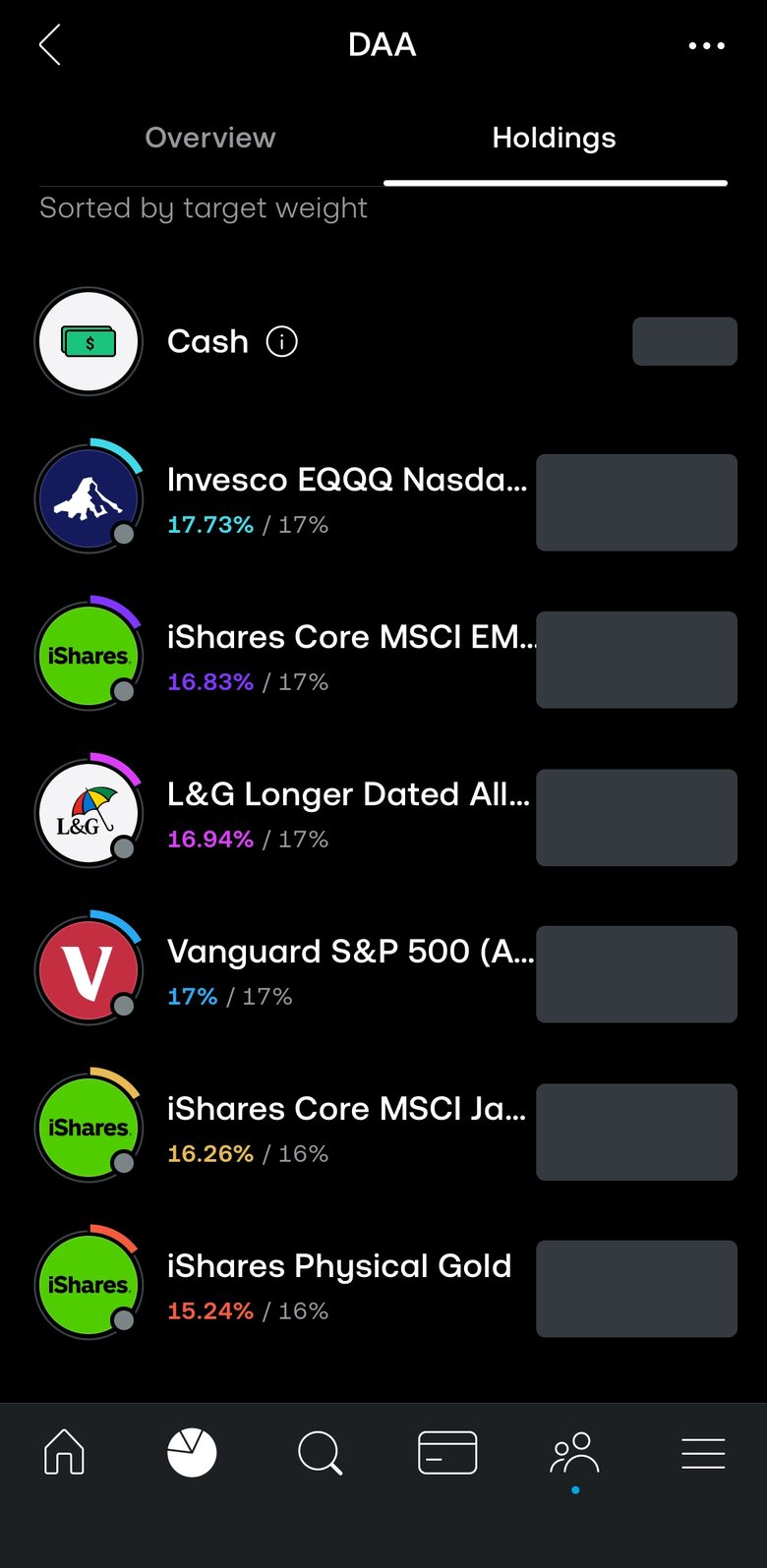
Trading 212 keeps these funds in a pie: a set of funds, each with a target weight. On each row the coloured figure is the current weight and the grey one after the slash is the target. A month of price moves has pulled them apart a little — 17.73% against 17%, 15.24% against 16%. That drift is normal, and on its own it is not a reason to trade.
Set against the app, three of the six markets are leaving (the S&P 500, emerging markets and gold), three are staying, and one is new.
Change the targets
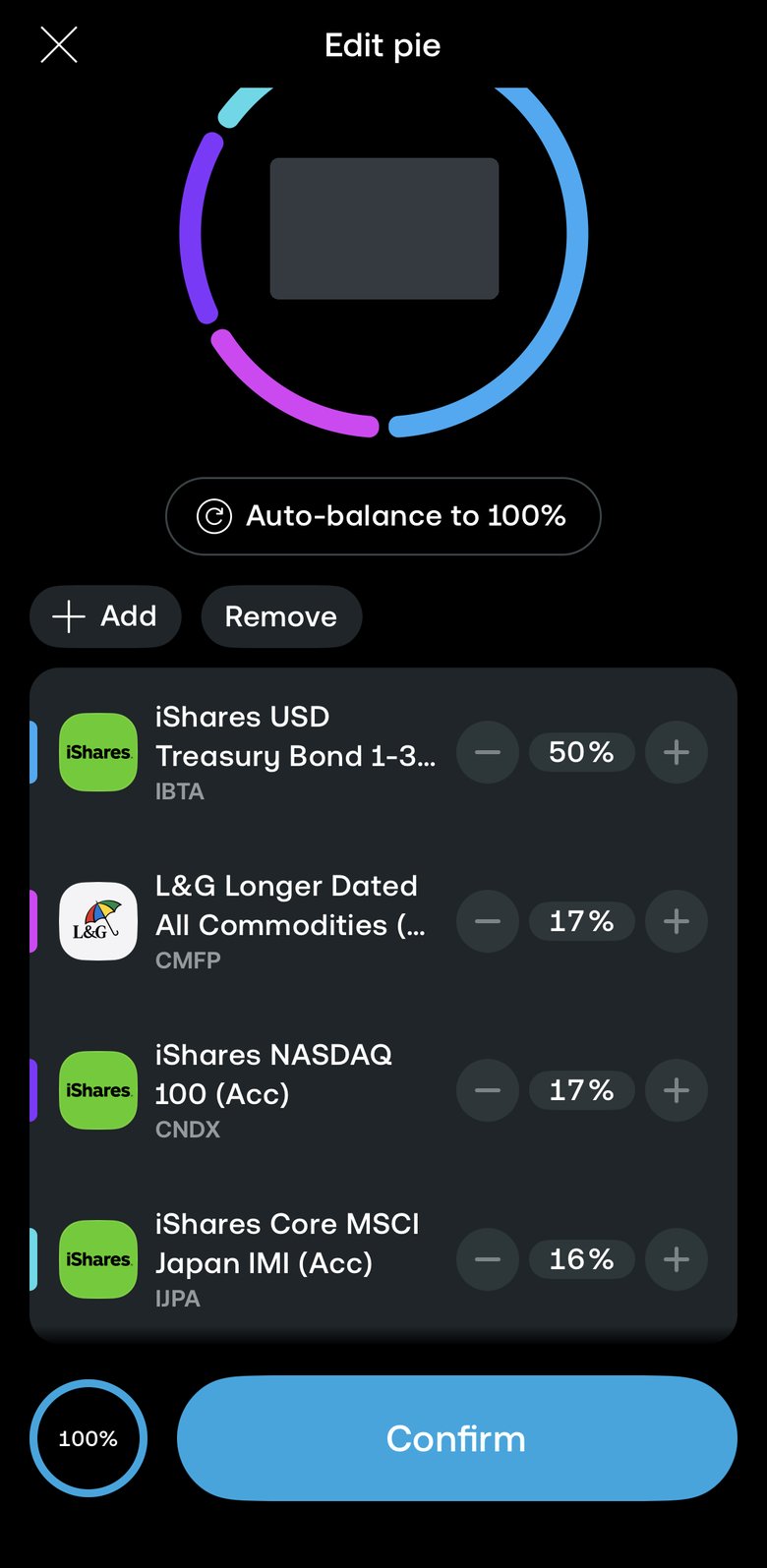
Editing the pie means removing the funds that leave, adding the new ones, and entering the targets. They went in here as whole percentages, so the app’s 16.67% became 17, 17 and 16. A third of a point either way is smaller than a month’s ordinary drift.
One change this month was not the rule’s. The account also moved from funds quoted in pounds to ones quoted in dollars — the ones the app names. The Nasdaq-100 and Japan stayed; the funds holding them changed. That was a one-off choice of fund, and it shows in the trades below.
Sell what left
Taking a fund out of the pie does not sell it, so Trading 212 asks what to do with the ones removed. Rebalance my pie sells them and spreads the money across the new targets, which is what the rule says. Move to my investments would keep them — out of the pie, but still held and still in those markets.
What actually traded
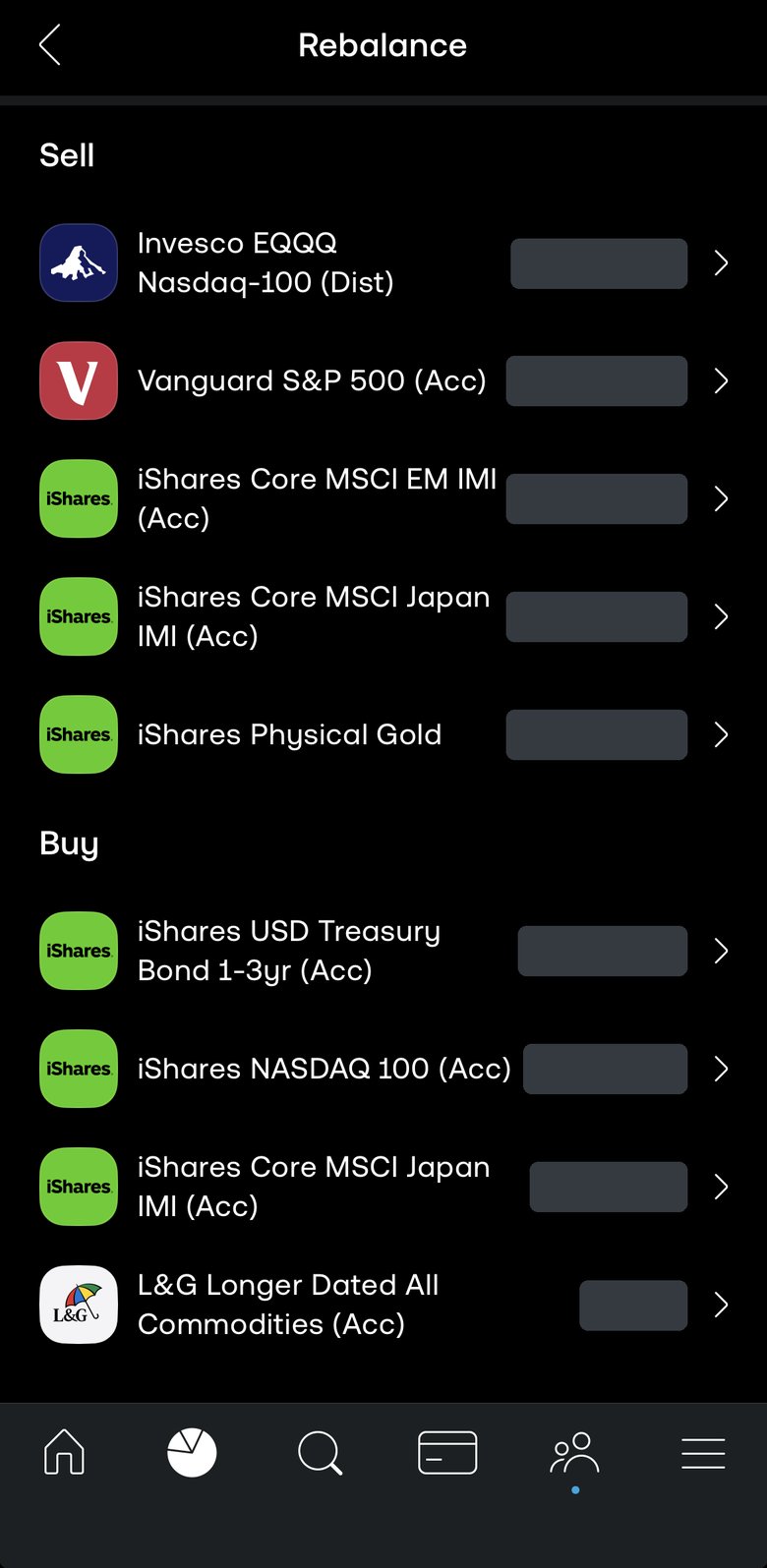
Five funds were sold in full: the three markets the rule dropped, and the pound-quoted Nasdaq-100 and Japan funds. Three were bought: the short Treasury fund, to half the pie, and the two dollar-quoted replacements. The Japan fund appears on both sides because only the currency it is quoted in changed.
The last line is the one to notice. The commodities fund stayed exactly as it was, so it got only a small top-up back to its target — it was not sold and bought back. That is what trade only the difference looks like. In a month without a change of fund, the Nasdaq-100 and Japan holdings would have been nudged the same way.
Switching funds is not free: every sale and purchase pays the spread. That is one more reason to settle on your funds once and leave them. Before the orders go in, the broker shows what they are expected to cost; read that too.
Write it down, and close it
Note the date and the four funds with their targets. The next reading is set on the October month-end close. With the app it can be checked any day after that; with the site, on Monday 2 November, before the US market opens. Until then there is nothing to do.
That was one month. A month in which the rule says the same as the month before is shorter still.